
Steps
- Install VoiceVault from Google Play after internal-testing approval.
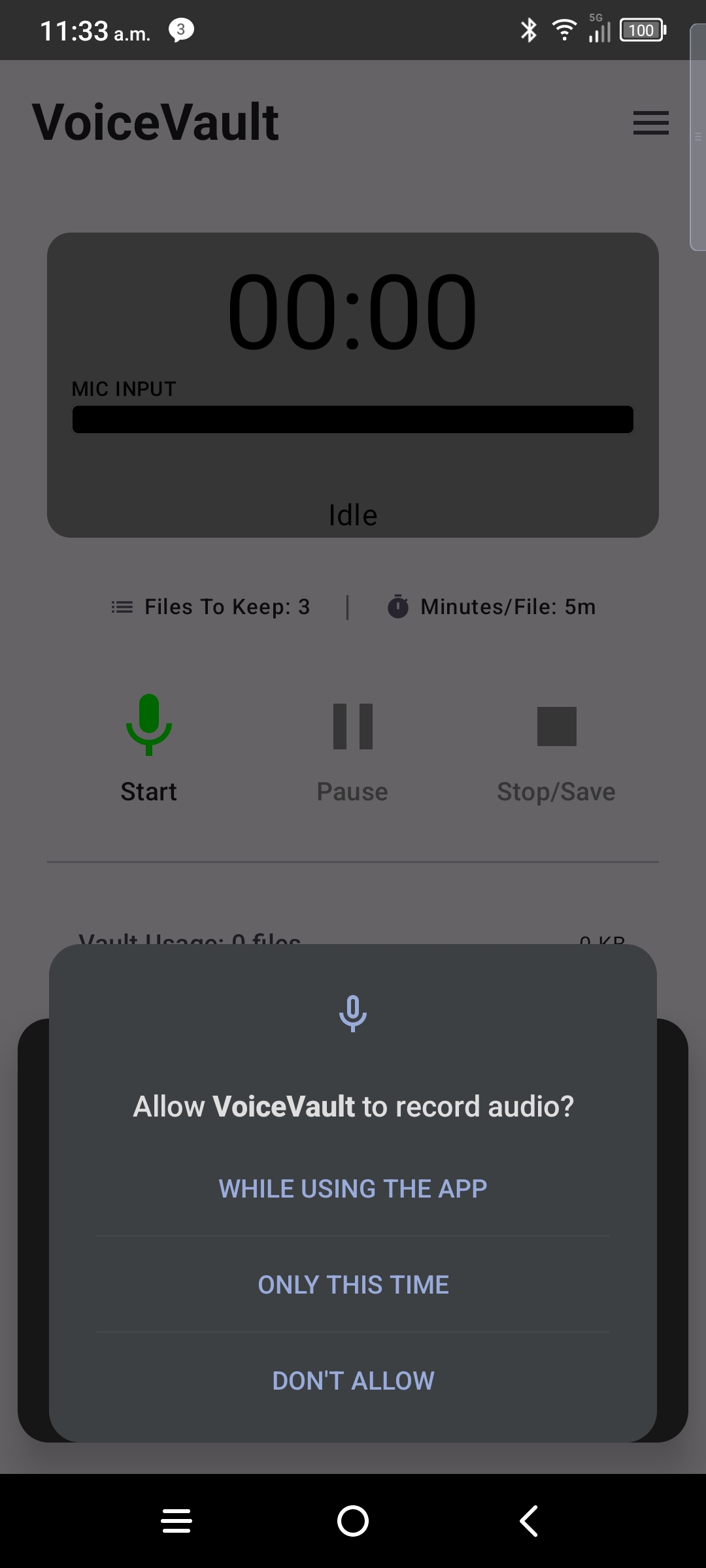
- Open the app — tap Allow on the microphone dialog.
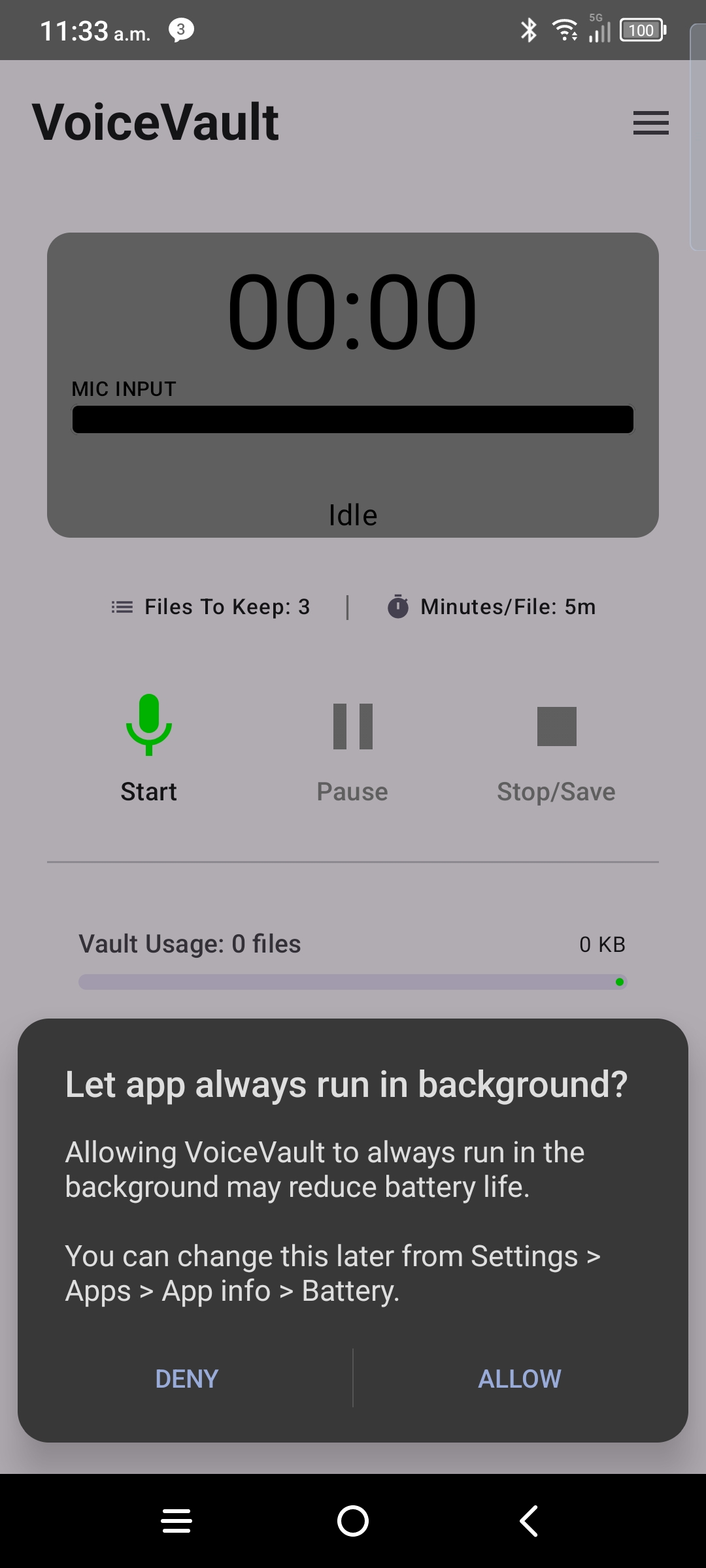
- Accept the background / battery prompt when VoiceVault shows it.
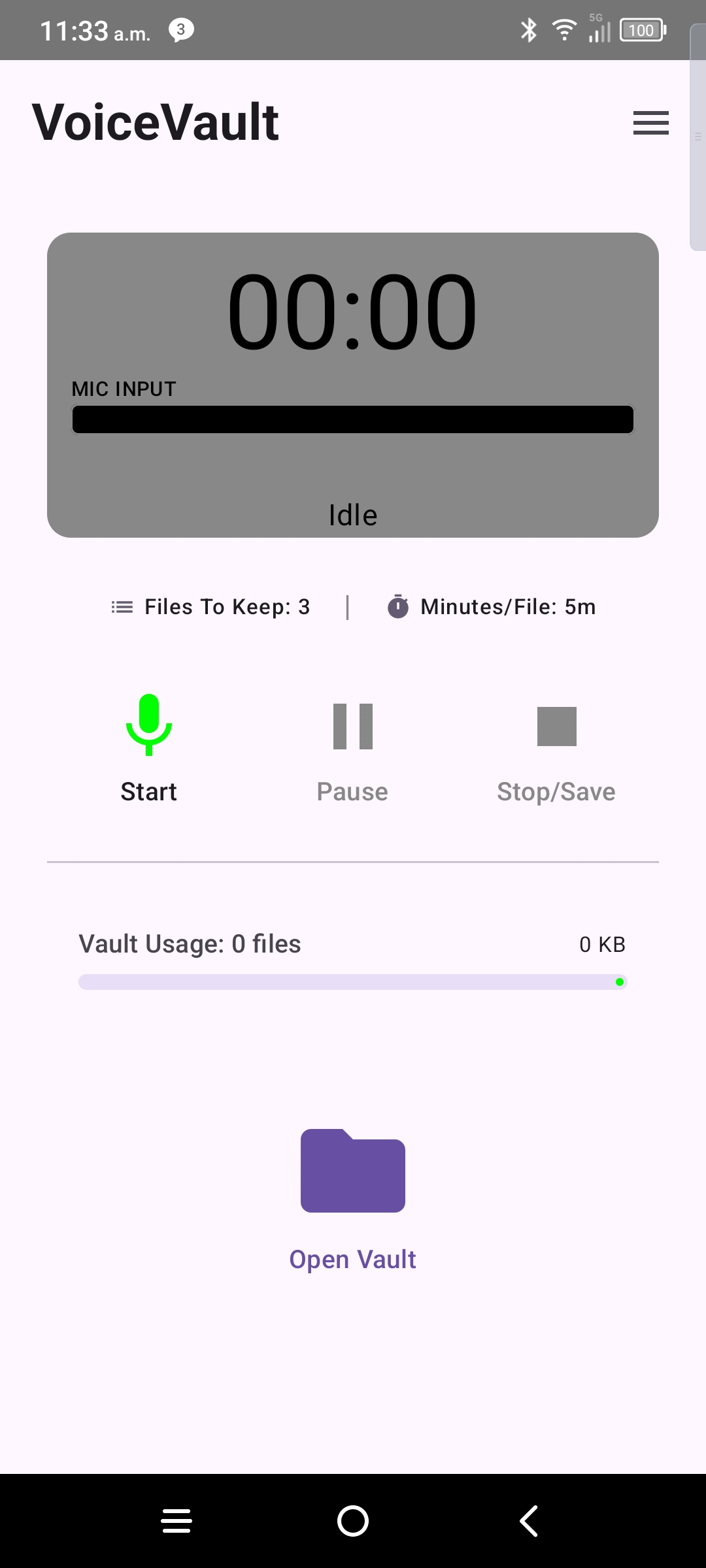
- You should see the default home screen with the record control ready.
- Tap record, speak, then stop — the file saves to your vault immediately.
After onboarding
- Open the vault to play back, rename, search, or share clips.
- Use the menu (☰) for file location, limits, Pro trial, and restore subscription.
- If recording stops unexpectedly, re-check background permission under Android Settings → Apps → VoiceVault.
← VoiceVault overview · Internal testing · Vault guide · Support